






I don’t really eat Doritos any more

Loading (○)

I don’t really eat Doritos any more
Loading (○)
Hey I’m back and I found out in game this weekend some commands for minigames that most books don’t tell you (in my experience).
Once again if you don’t know how to get a command block just type in chat /give @p command_block
This one is similar to commands I’ve shown in the past bit has to do with disabling arrows and/or tridents. So what you do is set your command block to it’s repeat function and use levers for the enable disable kind of thing then type execute @e[type=Arrow] ~ ~ ~ kill Arrow that is how to disable arrow and with tridents just replace Arrow with Trident.
This will basically be a “my favorite games” kind of post but yeah here are my favorite games, why I like them, and what they’re about if you don’t know them.
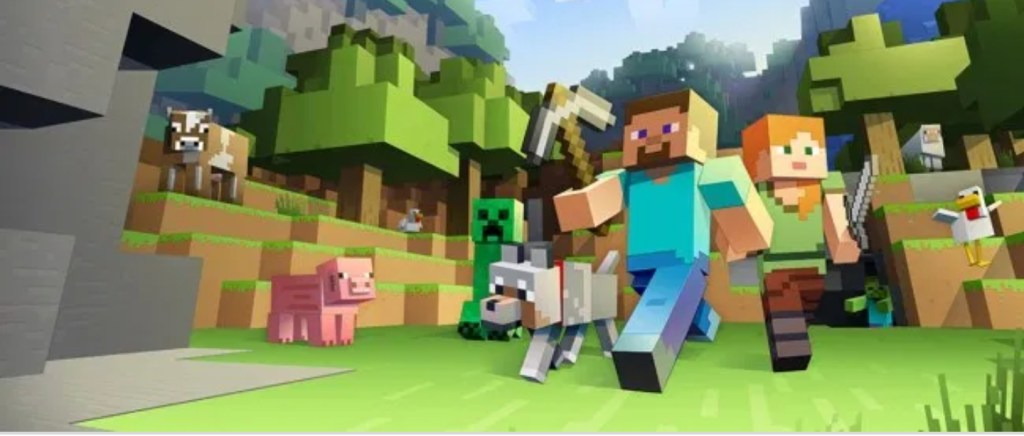
Minecraft: well I love this game the most out of them all and the reason is because of a mix of a imaginative and free style RPG type of game also I’m not going to argue about if it an RPG or not. Umm… I really doubt that I need to explain what Minecraft is about but I will do it for the point on how I see Minecraft Survival mode but I see Minecraft as a free style RPG game where you can roam around and mine for ores to get the diamonds, iron, and now gold and it’s great for fun party games for Co-op or PvP.
The Legend of Zelda Breath of the Wild: This is a fun kid friendly RPG game where you need to defeat foes to earn up good weapons to defeat stronger foes and so goes on as you also must conquer divine beasts and at the endgame there is Calamity Ganon and Dark beast Ganon to fight as endgame.
Super Smash bros. Ultimate: I love how this has basically no point to it and is just great for a party of people can just hop in and play with up to eight players and it is just awesome how it works and sure love the game.
Anyway those are my favorite games also I won’t be posting this weekend so yeah, I will start back up on Monday tho so see ya all then Peace!
Yeah so I really like Pibb Xtra
Then the Gamez
Hey guys. I’m going to show you all a couple tricks you can do in Minecraft with commands. First of if you want a command block type /give @p command_block that is the syntax code to do in chat… Oh sorry about my Command language, stuff you need to put down.
Command number one… Here the command I sorta made my self and it’s the command for “bomber bats”, so type the code in the command block, execute @e[type=Bat] ~ ~ ~ summon_TNT ~ ~ ~ and that is that try it for yourself and see how and if it works. Modifies bats.
Command number two… This one is some cool stuff that I found through a lot of research after a YT video but here is the command for “Herobrine Pearls”, one more type the code as execute @e[type=Ender_pearl] ~ ~ ~ summon lightning_bolt ~ ~ ~ you will like this it is pretty cool if you ask me. Modifies Ender Pearls.
Command number three… I’m going to be thicccccccccccccccccccc and clear (Lol) that I just wanted one more to add this all off and I have not tried this myself but here is a Herobrine boss battle. Warning do not spawn in a world you don’t obliterated Lol.
/summon MinecartCommandBlock ~ ~1 ~ {Command:kill @e[type=MinecartCommandBlock,r=1],Riding:{id:MinecartCommandBlock,Command:setblock ~ ~-1 ~1 redstone_block,Riding:{id:MinecartCommandBlock,Command:setblock ~ ~ ~1 command_block 0 replace {Command:fill ~ ~-3 ~-1 ~ ~ ~ air},Riding:{id:MinecartCommandBlock,Command:”/give @p minecraft:spawn_egg 1 90 {display:{Name:\”Herobrine\”}}”,Riding:{id:MinecartCommandBlock,Command:”/tellraw @p [\”\”,{\”text\”:\”Herobrine – A Boss Battle Command By RainBowGamer64 Also Known As MrCommandCreator2 Click \”,\”color\”:\”dark_purple\”,\”bold\”:true},{\”text\”:\”[Here] \”,\”color\”:\”dark_purple\”,\”bold\”:true,\”clickEvent\”:{\”action\”:\”open_url\”,\”value\”:\”http://onecmd.com/?creator=MrCommandCreator2\”}},{\”text\”:\”To Check Out My OneCMD Page.\”,\”color\”:\”dark_purple\”,\”bold\”:true}]”,Riding:{id:MinecartCommandBlock,Command:”tellraw @p [\”\”,{\”text\”:\”Your Command Is Fully Installed [%100]\”,\”color\”:\”dark_purple\”,\”bold\”:true}]”,Riding:{id:MinecartCommandBlock,Command:setblock ~3 ~-2 ~ redstone_block,Riding:{id:MinecartCommandBlock,Command:setblock ~3 ~-2 ~-1 command_block 0 replace {Command:fill ~ ~ ~1 ~2 ~ ~1 stone},Riding:{id:MinecartCommandBlock,Command:setblock ~3 ~-2 ~1 command_block 0 replace {Command:fill ~ ~ ~-1 ~2 ~ ~-1 redstone_block},Riding:{id:MinecartCommandBlock,Command:setblock ~4 ~-2 ~-1 command_block 0 replace {Command:”/execute @e[type=Pig,name=Herobrine] ~ ~ ~ /summon Creeper ~ ~ ~ {Fuse:0,CustomName:\\\”Test\\\”}”},Riding:{id:MinecartCommandBlock,Command:setblock ~4 ~-2 ~1 command_block 0 replace {Command:”/execute @e[type=Creeper,name=Test] ~ ~ ~ /summon Skeleton ~ ~10 ~ {Equipment:[{Count:1,id:diamond_axe,tag:{display:{Name:Herobrine’s Axe,Lore:[It Contains The Powers Of The Herobrine]},ench:[{id:16,lvl:3}]}},{id:diamond_boots,tag:{ench:[{id:8,lvl:3},{id:34,lvl:3}]}},{id:diamond_leggings,tag:{ench:[{id:4,lvl:4},{id:0,lvl:4},{id:34,lvl:3}]}},{id:diamond_chestplate,tag:{ench:[{id:0,lvl:4},{id:7,lvl:1},{id:34,lvl:2}]}},{Count:1,id:skull,Damage:3,tag:{SkullOwner:MHF_Herobrine,display:{Name:Herobrines Head}}}],CustomName:Herobrine,CustomNameVisible:1,Attributes:[{Name:generic.maxHealth,Base:100},{Name:generic.movementSpeed,Base:0.3},{Name:generic.followRange,Base:100}],DropChances:[2.0F,0.0F,0.0F,0.0F,2.0F],ActiveEffects:[{Id:8,Amplifier:1,Duration:999999},{Id:9,Amplifier:1,Duration:999999},{Id:1,Amplifier:1,Duration:999999}],SkeletonType:1}”},Riding:{id:MinecartCommandBlock,Command:setblock ~5 ~-2 ~-1 command_block 0 replace {Command:”/execute @e[type=Skeleton,name=Herobrine] ~ ~ ~ /particle flame ~ ~ ~ 1 1 1 .05 5″},Riding:{id:MinecartCommandBlock,Command:setblock ~5 ~-2 ~1 command_block 0 replace {Command:”/execute @a ~ ~ ~ /execute @e[type=Skeleton,name=Herobrine,r=2] ~ ~ ~ /summon Zombie ~ ~1 ~ {Equipment:[{id:golden_axe},{id:golden_boots},{id:golden_leggings},{id:golden_chestplate},{id:skull,Damage:3,tag:{SkullOwner:Herobrine}}],CustomName:Herobrine’s Minion,CustomNameVisible:1,Attributes:[{Name:generic.maxHealth,Base:1},{Name:generic.movementSpeed,Base:0.2}],ActiveEffects:[{Id:1,Amplifier:1,Duration:999999}],Silent:1,IsBaby:1}”},Riding:{id:MinecartCommandBlock,Command:setblock ~1 ~-2 ~ wall_sign 4 replace {Text1:”{text:\\\”[Click]\\\”,color:dark_purple,bold:true}”,Text2:”{text:\\\”To Destroy\\\”,color:dark_purple,bold:true}”,Text4:”{text:\\\”\\\”,clickEvent:{action:\\\”run_command\\\”,value:\\\”fill ~ ~-1 ~-2 ~6 ~2 ~2 air\\\”}}”},Riding:{id:MinecartCommandBlock,Command:fill ~2 ~-2 ~-2 ~6 ~-2 ~2 stained_glass 10 replace stained_hardened_clay 10,Riding:{id:MinecartCommandBlock,Command:fill ~2 ~-3 ~-2 ~6 ~-1 ~2 stained_hardened_clay 10 hollow,Riding:{id:MinecartCommandBlock,Command:gamerule commandBlockOutput false,Riding:{id:MinecartCommandBlock,Riding:{id:FallingSand,Block:activator_rail,Time:1,Riding:{id:FallingSand,Block:redstone_block,Time:1,Riding:{id:FallingSand,Block:stone,Time:1}}}}}}}}}}}}}}}}}}}}}
Oh yeah, I forgot to mention, it’s a long one heh, heh. heehh…
PS commands one and two need to be in repeat and always active, also one and two have a radius of about 500 block or something for the command to work. Also number three only works on Java Edition (PC/Mac Edition).
 Talking Tech